Saturday, May 05, 2007
When Tech goes bad!
We all had a moment when our tech gear just gives up or breakdown at a crucial point to make you said, "S**t, I still have my documents on that flash drive!" or "My notebook died at that presentation, D**n!!!"
It just reminded me that our computer, cell phone or even a steammer can blow up in your face. I had a monitor just blow up, not set on fire, in my face and it was just three months old.
So to all of the tech savy people and the newbies just getting their computers, be warned that even technology can go bad.

Sunday, March 25, 2007
Vista or XP? What is the Answer?
Windows Vista made a excellent debut for the beginning of the year and I got to see this OS at work in a retail store.
The "glassy look" of Vista might be a special treat that the "Fisher Price" look of XP. Vista added more "toys" to use such as a DVD authoring program and Texas Hold em. I still going to use XP for a little while longer.
To make the move from XP to Vista sounds easy, but with all the hardware updates, CPU specs and memory acceleration, I am happy with XP for now. When it is time for me to go to Vista, the newest OS will out.
The "glassy look" of Vista might be a special treat that the "Fisher Price" look of XP. Vista added more "toys" to use such as a DVD authoring program and Texas Hold em. I still going to use XP for a little while longer.
To make the move from XP to Vista sounds easy, but with all the hardware updates, CPU specs and memory acceleration, I am happy with XP for now. When it is time for me to go to Vista, the newest OS will out.
Saturday, February 10, 2007

I understand about safety and to be aware when crossing the street, but to stop listening to your device and be penalized. Is this the way you are going to "control" the people?
Kruger said that "If you're so involved in your electronic device that you can't see or hear a car coming, this is indicative of a larger problem that requires some sort of enforcement beyond the application of common sense,"
Let just say we conformed to be safer at the the crosswalks, do you think we safe? There are still people driving down the street trying to beat the red light, some drivers are thinking about something than paying attention on driving and what about Queens Blvd? It is the most dangerous street in NYC. Read more about it here. Right now I going to enjoy the confort of my music device and my cell phone calls.
How about passing a bill to ban homeless and jobless employees. How about banning drivers whose been in accidents, fatal or non fatal, to be stripped from driving any vehicles like taxis, buses, etc. How about doing more research before you make big assumptions. This is justa mote in the eye compared to other stuff we are worrying about.
Saturday, January 27, 2007
Sunday, November 12, 2006
Happy HD Enclosures
Have a hard drive that still have use in your daily life? Need more space on your internal drives but don’t have the time to delete or sort anything out? Well it must be time to get a external hard drive or an enclosure.
Because I am really cheap and budget-minded, even so I could get it if I save for a while; I will be talking about the hard drive enclosure. When I thought about it before, I thought to myself, “This will take so much of my desk space.” Well I was wrong.
The enclosure I picked up was the Ultra 3.5 external HD enclosure and it supports USB 2.0. I have a Maxtor 120 GB hard drive from my computer while inside, I have a 200GB hard drive as my primary drive.
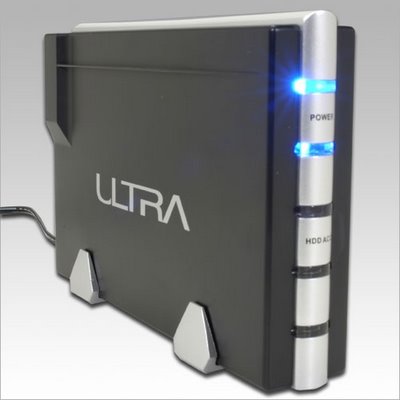 Getting the hard drive inside the enclosure was easy, taking it out was tough. The only problem I had was getting the power hookup from the hard drive. It was kind of snug in there and it took me just about an hour to get it off before I break the whole thing. Once I have it in the enclosure, with all of the screws in place, I plugged it in the socket and the USB port. The only thing I had to do was format through the Disk management on Windows XP.
There are many ways you can use the HD enclosure;
There might be more usages for these enclosures, so hit me up with more ideas.
Because I am really cheap and budget-minded, even so I could get it if I save for a while; I will be talking about the hard drive enclosure. When I thought about it before, I thought to myself, “This will take so much of my desk space.” Well I was wrong.
The enclosure I picked up was the Ultra 3.5 external HD enclosure and it supports USB 2.0. I have a Maxtor 120 GB hard drive from my computer while inside, I have a 200GB hard drive as my primary drive.
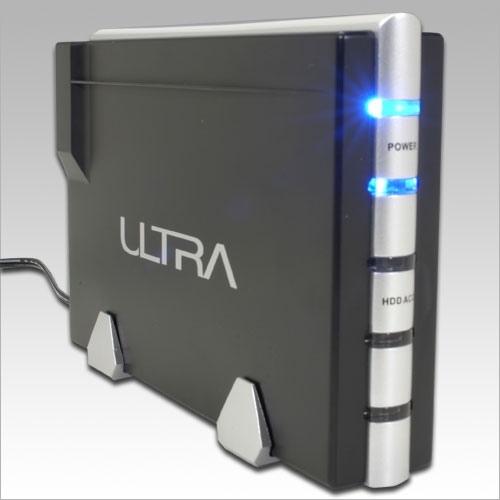 Getting the hard drive inside the enclosure was easy, taking it out was tough. The only problem I had was getting the power hookup from the hard drive. It was kind of snug in there and it took me just about an hour to get it off before I break the whole thing. Once I have it in the enclosure, with all of the screws in place, I plugged it in the socket and the USB port. The only thing I had to do was format through the Disk management on Windows XP.
There are many ways you can use the HD enclosure;
- Quick backup system for files and folders.
- Your podcasts you downloaded can be stored there.
- A place you can put your large video files at.
- A bridge between your laptop and your desktop.
- A great companion at internet cafes
- Bridging your work from home to someone else computer.
There might be more usages for these enclosures, so hit me up with more ideas.
Saturday, September 23, 2006
Apple unveiling
When Apple unveiled the Nano and Shuffle version 2, I was hoping for more. Don’t get me wrong, the Nano is a little more durable and more color. Only the 8 GB nano will only sport black. The shuffle is now a “tie clip” mp3 player and considered the smallest mp3 player now. The new video ipod is 80 GB that is more than the 30 GB. Also a new Itunes 7 w interface with a better interface and downloading manger for podcast shows and saved music. It could help update your ipod when it needs to be. Now you can download games like Bejeweled and play it on the ipod video, I do not know if this is compatible for the nano.
What I was looking for was some of the following; New updates and bug fixes for older ipods, maybe for the mini and the music ipod. A way to charge the shuffle without having to be attached to the computer, a reasonable and affordable Apple desktop computer.
What I was looking for was some of the following; New updates and bug fixes for older ipods, maybe for the mini and the music ipod. A way to charge the shuffle without having to be attached to the computer, a reasonable and affordable Apple desktop computer.
Monday, September 11, 2006
WTC Memories
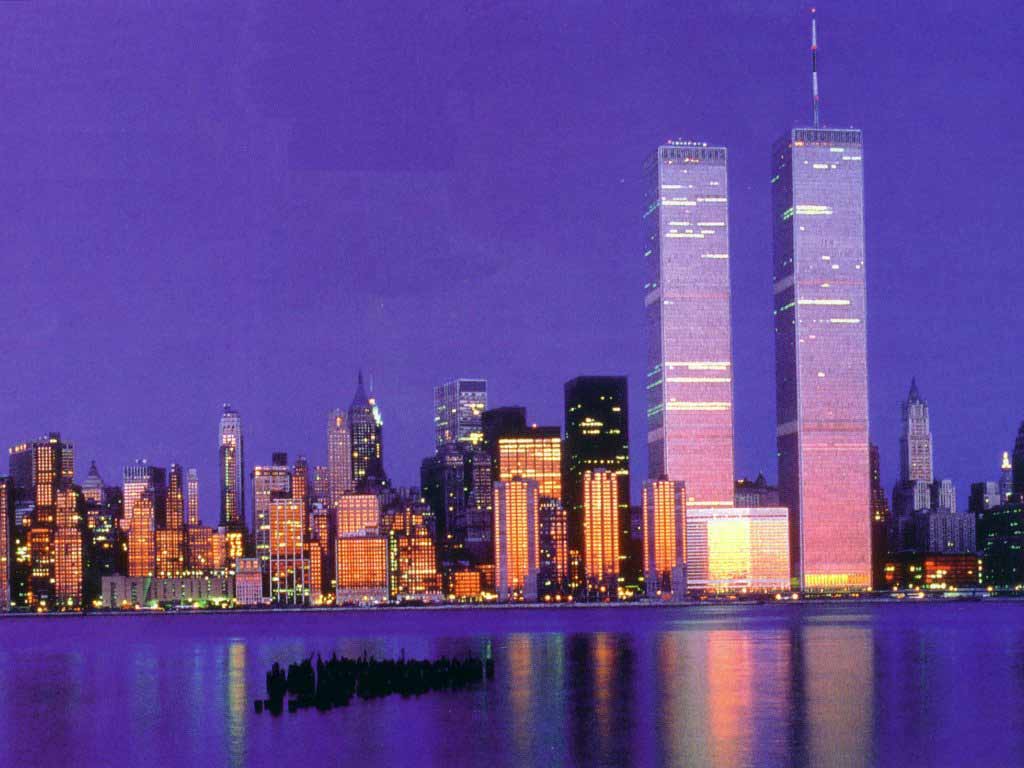 The fall is here and I am ready to start back on my page. Right now, this is a time to remember the brave and the finest that was there at World Trade Center.
The WTC means to me; my first field trip with my school, meeting friends and family to shop at the plaza. When the towers fell so has my heart and soul, I felt I lost a part of me there. When I get on the ferry from Staten Island to Manhattan, I do not see my “friends” to greet me.
Ground Zero and I have something in common, construction is proceeding downtown to build us a new tower, I am building back my heart and soul to greet the new tower when it becomes complete.
To all of our Firemen, Policemen and other civic duty patrons, my heart is with you, your family and your comrades in arms that was there on this day, five years ago.
Sunday, July 16, 2006
Ode to a dead Compaq Armanda 3500
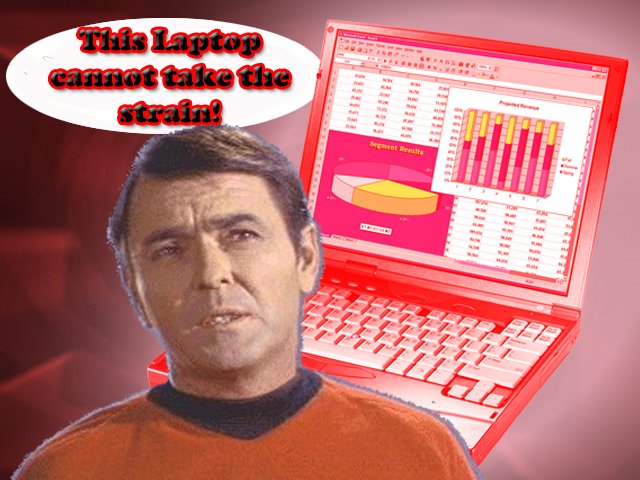
I would like to dedicate this section of my blog to my friend, Ed. He owns a Compaq Armada 3500 laptop computer and has it for 7 or 8 years (It must 40 in dog years). It started out running Windows NT with the low end specs at that time.
Then he pushed it by putting on Windows 2000 and then XP, overclocking his processor, working his 6 GB hard drive like it was a 200 GB hard drive and collected almost 1,000,000 different kinds of viruses, backdoor programs and anything that was infected it I did not know.
I might be a novice tech supporter, but I can’t bring the dead to life. He could take it to any professional tech supporter and they might say, “Have you ever thought about donating it to the Smithsonian Institute”? Now the display on the laptop is faded out of existence, it can be use as a mini desktop.
My friend, it is time to look to the future and get yourself a new laptop, such as a Toshiba Satellite series or a new HP/Compaq laptop. It is time to leave the past behind because you can’t revive a dead laptop.
Saturday, June 17, 2006
Don't forget our Scanner!
Like the basic four food groups, some people forget about one of the basic needs for the computer. I speak about our good old friend, the scanner.
You don’t have to spend so much for a scanner now. The price ranges from $70 to the most expensive $400 models. There are some scanners that has it own printer built into the unit, but people ignored the scanner part.
Here are some good usages for your scanner:
- Scanning pictures to your computers, you can not manipulate or share pictures without a scanner
- Preserving documents and letters, even kid drawing that you hung on the fridge can be your next desktop.
- Preserving collectables like cards, comics, animation cells, etc.
Here is your chance to remove the dust off that old scanner and use it or thinking about getting a scanner, this is the right time to get one.
Monday, May 29, 2006
Memorial Day Message
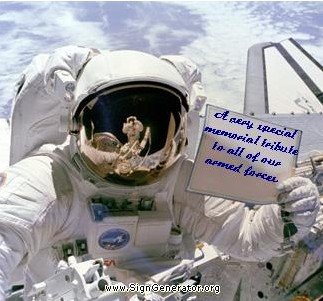
I think the picture speaks for itself. To my family and friends that fought and serve in the military, my prayers go out to them.
Sunday, April 30, 2006
Vintage Tech - Our fallen comrades
Technology is greatly moving very fast, some of the income-controlled people can not catch up with the new in thing. That is why I say that some old tech is not dead, but on life support because of us critters. I would like to pay tribute to these products;
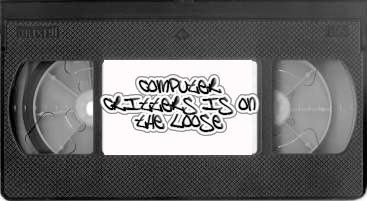
The VCR – Before Tivos and DVRs, there were VCRs. When VCR came out, it changed the way we watched TV and movies. Of course there were the problem of the video degrading, broken tapes and the tape being messed up by the VCR. It was still the most reliable tech tool at this time and with the prices for a VCR can be less than 100 dollars; the tapes can be priced at 2 dollars depending on the manufacture. For a brief history on the VCR, click here.
Portable CDs player – With everyone having a hard drive media player for music and downloading music online, most of the people would not consider having a portable CD player. The ratio of seeing a CD player is one of five person still owns a CD player but it is one of every three person owns a digital player. That means the CD is not going to fade away anytime soon.
 Cassette Players – Not taking away from the CDs, cassettes are really on life support. Finding cassette player can be hard, but the price can start at 20 dollars. The cassettes can start at 50 cents per tape. If you still have one in your home, cherish it, it done it job for media tech. Check out the history at pocketcalculatorshow.com/walkman/history.html
Drop a comment here on any old and vintage tech we should pay some respect for and even a comment on the old tech that I was talking about here.
The VCR – Before Tivos and DVRs, there were VCRs. When VCR came out, it changed the way we watched TV and movies. Of course there were the problem of the video degrading, broken tapes and the tape being messed up by the VCR. It was still the most reliable tech tool at this time and with the prices for a VCR can be less than 100 dollars; the tapes can be priced at 2 dollars depending on the manufacture. For a brief history on the VCR, click here.
Portable CDs player – With everyone having a hard drive media player for music and downloading music online, most of the people would not consider having a portable CD player. The ratio of seeing a CD player is one of five person still owns a CD player but it is one of every three person owns a digital player. That means the CD is not going to fade away anytime soon.
 Cassette Players – Not taking away from the CDs, cassettes are really on life support. Finding cassette player can be hard, but the price can start at 20 dollars. The cassettes can start at 50 cents per tape. If you still have one in your home, cherish it, it done it job for media tech. Check out the history at pocketcalculatorshow.com/walkman/history.html
Drop a comment here on any old and vintage tech we should pay some respect for and even a comment on the old tech that I was talking about here.
Monday, March 20, 2006
The Need of Flipalbum
Do you have problem with family and friends taking your pictures and not giving them back? Are you an IT worker with so many programs on many different CDs that it takes a long time to finish? Are you a salesperson who has so many things to sell but do not want to carry all the stuff or being there because you are busy? Then you need flipalbum for all your needs.
I know what you are thinking; what will this program do for me? For the picture-hungry people, flipalbum can be seen on a website or it can be burned on a CD, I trying to burn contents on a DVD. IT workers can put the important files and programs on CDs for cataloguing. Flipalbum can play videos as well as showing images, but the only formats it would play are AVI and MPEG-1. If you get the flipalbum professional, there is a security mode, you can program the cd to give permission to print and save and have a password built in.
These are the things I like, including the flipping action and it is no program to install, but I think there is something that can show improvement. When you buy the program, they should have instant patches and updates on their site. Have add-on and plug-in to download for flipalbum. They use to have a free hosting site to have people com and see their books but, now there is a fee. I think the free web hosting was better.
Hey, I am just one person with thoughts running wild. Download the free trial version of flipalbum here and send me any comments about it. There might be something I might have overlook.
I know what you are thinking; what will this program do for me? For the picture-hungry people, flipalbum can be seen on a website or it can be burned on a CD, I trying to burn contents on a DVD. IT workers can put the important files and programs on CDs for cataloguing. Flipalbum can play videos as well as showing images, but the only formats it would play are AVI and MPEG-1. If you get the flipalbum professional, there is a security mode, you can program the cd to give permission to print and save and have a password built in.
These are the things I like, including the flipping action and it is no program to install, but I think there is something that can show improvement. When you buy the program, they should have instant patches and updates on their site. Have add-on and plug-in to download for flipalbum. They use to have a free hosting site to have people com and see their books but, now there is a fee. I think the free web hosting was better.
Hey, I am just one person with thoughts running wild. Download the free trial version of flipalbum here and send me any comments about it. There might be something I might have overlook.
Sunday, February 05, 2006
Laptop Cleaning part two
Where we last left off, we have just re installed Windows XP onto the laptop and just put on the critical updates. Before all of the programs come on his laptop, I setup some of the stuff to protect the computer. Just like a person getting ready to leave the house, you must get your computer ready to go online and offline.
 When a person catches a cold or a virus, they must treat it with the right medicine. The computer is the same thing, when it catches a virus from an email attachment from an unknown source, an infected friend from their address book or corrupted program. Using the commercial Anti-virus such as McAffee or Norton could help your system but when you need an update for the new virus, they will be limited with the time. Also, there are some holes in the system that an outside hacker can turn off and leave you vulnerable. There is some excellent free antivirus software but the one I like is AntiVir. It is simple and the updates come every two weeks. I suggest that using the antivirus every month to check for foreign agents on your computer.
Windows XP SP2 has a good firewall for the protection that you may need but you might have to update your Windows if you are working with SP1 at their website or pressing Windows Update.
For a good spyware program; I chosen Ad-Aware. Ad-Aware provides advanced protection from known data-mining, aggressive advertising, Trojans, dialers, malware, browser hijackers, and tracking components.
Disk fragmentation causes crashes, slowdowns, freeze-ups and even total system failures. The number one reason for performance bottlenecks is fragmentation. Even the best hardware will eventually slow down unless the drive is defragmented daily. Diskeeper, from Executive Software, could be the best third party disk defrag program. Comparing it to the regular bundle with Windows XP, this is far superior.
I went to Snap-Files website to download a great disk cleaner because, the one bundle with Windows is good but slow.
Finally, with pop up ads on the rise, I completely change my browser to Mozilla Firefox. Besides it has a built in pop up blocker (doesn’t work on aggressive pop up banner), it does tab browsing. In short, you can open up many websites on one browser. I still have to keep IE, cause of the updates and certain websites that can not conform to Firefox.
After all the updates and fixes to his laptop, the only thing he would have to worry is getting off dial up and go to DSL or Broadband for his internet actions, but that’s another problem all together.
 When a person catches a cold or a virus, they must treat it with the right medicine. The computer is the same thing, when it catches a virus from an email attachment from an unknown source, an infected friend from their address book or corrupted program. Using the commercial Anti-virus such as McAffee or Norton could help your system but when you need an update for the new virus, they will be limited with the time. Also, there are some holes in the system that an outside hacker can turn off and leave you vulnerable. There is some excellent free antivirus software but the one I like is AntiVir. It is simple and the updates come every two weeks. I suggest that using the antivirus every month to check for foreign agents on your computer.
Windows XP SP2 has a good firewall for the protection that you may need but you might have to update your Windows if you are working with SP1 at their website or pressing Windows Update.
For a good spyware program; I chosen Ad-Aware. Ad-Aware provides advanced protection from known data-mining, aggressive advertising, Trojans, dialers, malware, browser hijackers, and tracking components.
Disk fragmentation causes crashes, slowdowns, freeze-ups and even total system failures. The number one reason for performance bottlenecks is fragmentation. Even the best hardware will eventually slow down unless the drive is defragmented daily. Diskeeper, from Executive Software, could be the best third party disk defrag program. Comparing it to the regular bundle with Windows XP, this is far superior.
I went to Snap-Files website to download a great disk cleaner because, the one bundle with Windows is good but slow.
Finally, with pop up ads on the rise, I completely change my browser to Mozilla Firefox. Besides it has a built in pop up blocker (doesn’t work on aggressive pop up banner), it does tab browsing. In short, you can open up many websites on one browser. I still have to keep IE, cause of the updates and certain websites that can not conform to Firefox.
After all the updates and fixes to his laptop, the only thing he would have to worry is getting off dial up and go to DSL or Broadband for his internet actions, but that’s another problem all together.
Saturday, January 21, 2006
Laptop Cleaning part one
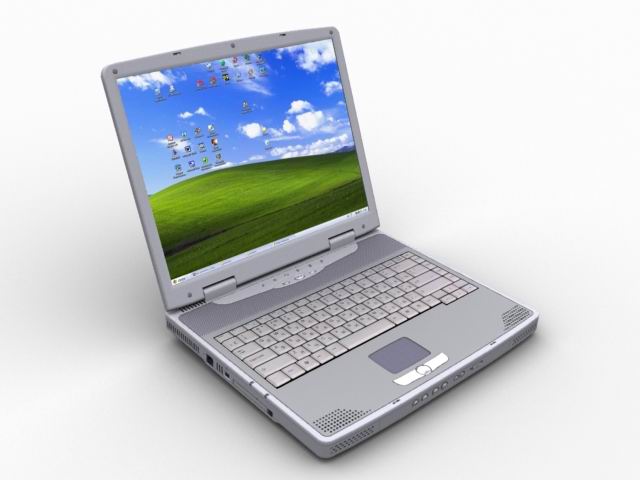 Well it is about to get rid of the old and bring in the new. From house cleaning to cleaning your computer, it must be done soon. My friends needed his laptop cleaned and reinstall Windows XP Home. I thought he would knew most of the basis but for his sake and other “critters” out there, I am there with some help and tips.
This first and important thing to do is to backup all your saved projects. If you have a DVD burner, CD burner, external hard drive, flash drive, IPOD or thousands of floppy drive (and a whole weekend), this is a priority to do first. From music, documents, videos, saved games and other stuff, you must preserve these precious things. My rule of thumb is to backup your backups. You will never know that you might lose it on your drive, scratch or shattered the CD or you might lose it. Take some time and pick up some extra CDs or DVDs to clone your saved stuff.
Now it is time to tackle your hard drive with a clean wipe of the system. There are two ways to clean your hard drive; one, you can load your Windows install CD and delete the partition first and then reinstall Windows. Two; I use a hard drive utility CD, such as Maxtor. Instead of using the quick clean, I let it write in all zeroes to ensure that the drive is a clean slate.
Finally, the most important installation, putting on Windows on your system; I have noticed if you purchase your system such as a HP, Compaq or Gateway, they will have their own install CD in the box. Most of them do not have the 30 days until shutdown clock. Well don’t look gift horses in the mouth, use their CD and then customize it to work with your needs.
(TO BE CONTINUED)
Saturday, December 31, 2005
New Year on earthcam.com
The ball in Times Square is about to drop and you want that feeling you are there celebrating among the New Yorkers. Well, with webcams and “big brothers” out there, I found a web site for webcam watching. Earthcam.com is a great way to tour around without leaving your living room.
On earthcam, you can be at Times Square looking from different cameras when the ball drops. How about seeing New Years in London or Moscow? You can do that on this site. You can even see if anyone is getting married in the wedding chapel in Las Vegas.
So, you can watch the New Year on television or you can track the New Year using earthcam.com. Just enjoy yourself and drink in moderation so that the hangover don’t hit you so bad. Happy New Year.
On earthcam, you can be at Times Square looking from different cameras when the ball drops. How about seeing New Years in London or Moscow? You can do that on this site. You can even see if anyone is getting married in the wedding chapel in Las Vegas.
So, you can watch the New Year on television or you can track the New Year using earthcam.com. Just enjoy yourself and drink in moderation so that the hangover don’t hit you so bad. Happy New Year.
Sunday, December 25, 2005
Thursday, December 15, 2005
DVD Authoring Help
Christmas is coming and someone asked me about transferring their camcorder video to DVD and what software to use. I needed some more information before answering this question.
This is what I know;
The DV camcorder has some software with it but that person wants to use something different. Besides the Pinnacle Studio that I use, I talk about the Ulead Videostudio and the Roxio Videowave to do the editing as well as burning the DVD movie. With most of these editors, you can add a sideshow to your work as a extra project to impress the viewers.
The only thing that would take long would be the process. My personal experience with editing, encoding and burning would take me up to two hours. Inexperience videographers would take longer to know what they are doing.
Maybe your family gathering maybe droll, spice it up with a Q&A session, Having them to wish a happy holiday or you might want to add narration to make special documentry.
This is what I know;
- The camcorder the person uses is DV format, not the 8mm format. It also has a firewire or I-Link port as well as a RCA output ports and USB 2.0 port.
- Their computer was compatible for downloading music, playing games, office suite and surfing the internet.
- They have a 200gb hard drive as their second hard drive
- The computer has all the ports, USB and Firewire
The DV camcorder has some software with it but that person wants to use something different. Besides the Pinnacle Studio that I use, I talk about the Ulead Videostudio and the Roxio Videowave to do the editing as well as burning the DVD movie. With most of these editors, you can add a sideshow to your work as a extra project to impress the viewers.
The only thing that would take long would be the process. My personal experience with editing, encoding and burning would take me up to two hours. Inexperience videographers would take longer to know what they are doing.
Maybe your family gathering maybe droll, spice it up with a Q&A session, Having them to wish a happy holiday or you might want to add narration to make special documentry.
Saturday, November 26, 2005
Hot Spots - Gamehouse.com
People have always asked, “Where do you get those great games from?” There are so many places to play online and to download to your computer. If you have a email account such as Yahoo or MSN, there is a section to play games online and even download a free trial or a complete free game.
Try www.Gamehouse.com for some of the popular games such as Super Bounce Out, Super Collapse 2 and Bejeweled 2. From word puzzles to action games, this is the spot for you.
What I like about this site is when you want to purchase the game from their online store, you can choose to buy your games using Paypal, credit cards or check and money order. I think you might want to call the company to see if they have the game on CD to purchase or to download it online.
Try it out online before you purchase it. One game can be popular for some people and not for you. Plus there are games people would not touch and you would fall head over heels for it.
Try www.Gamehouse.com for some of the popular games such as Super Bounce Out, Super Collapse 2 and Bejeweled 2. From word puzzles to action games, this is the spot for you.
What I like about this site is when you want to purchase the game from their online store, you can choose to buy your games using Paypal, credit cards or check and money order. I think you might want to call the company to see if they have the game on CD to purchase or to download it online.
Try it out online before you purchase it. One game can be popular for some people and not for you. Plus there are games people would not touch and you would fall head over heels for it.
Sunday, November 13, 2005
My experence making wallpaper with Photshop
Wallpaper for the desktop is the most popular thing to have on your computer. It is like graffiti on your screen. The reason to have wallpaper on the screen is to;
You can find different kinds of wallpapers out on the web for free or a fee. I have seen some of these works and I wondered to myself; “Can I do this, too?”
As I searched for doing wallpaper from online tutorials, there were different kind of wallpaper and many styles. From abstract to 3D, my head started to get that “brain freeze” effect when you eat a very cold ice cream bar. I made up my mind to do a basic photo manipulation wallpaper for my friend computer with his family.
When I first started this, I used MGI Photosuite 8.0 and Photosuite 2 (now under Roxio bundle package), to cut and move pictures to other canvases and make them more interesting. The problem is when you look at the picture, you can see the “scissors” effect around the picture. I need more power.
My former computer teacher introduced me to Adobe Photoshop and I was astonished just by the interface alone. Using layer and masks for my pictures took a good two months to getting use to. After seven months, I did my first wallpaper for my computer. Compared to everyone on the net, mine was like something from head start, but I am still learning.
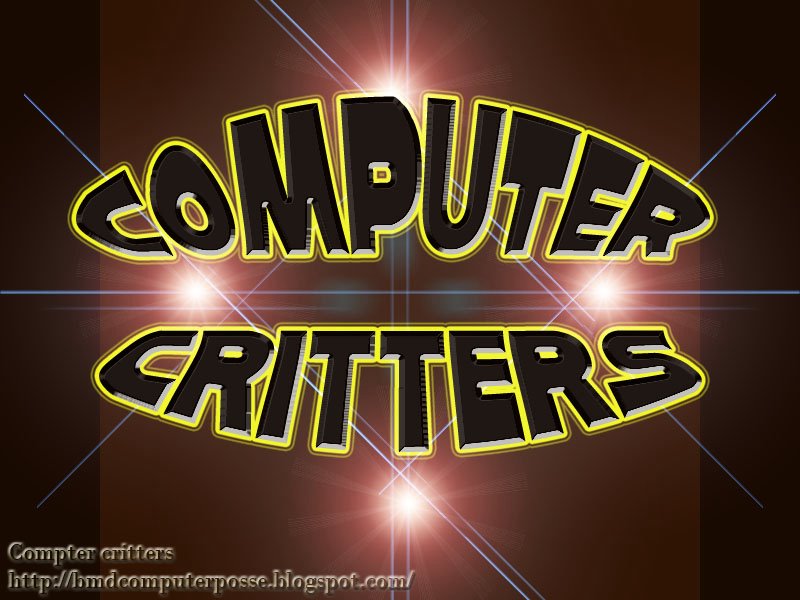
There are other photo tools out there to do wallpaper, some of them are free and some comes with a fee. Here is a sample of my new wallpaper.
- Decorate your screen and give it that personal touch.
- When you have more than one user on your computer, it shows which user screen is on or have access to the computer.
- Just to show off your photos.
You can find different kinds of wallpapers out on the web for free or a fee. I have seen some of these works and I wondered to myself; “Can I do this, too?”
As I searched for doing wallpaper from online tutorials, there were different kind of wallpaper and many styles. From abstract to 3D, my head started to get that “brain freeze” effect when you eat a very cold ice cream bar. I made up my mind to do a basic photo manipulation wallpaper for my friend computer with his family.
When I first started this, I used MGI Photosuite 8.0 and Photosuite 2 (now under Roxio bundle package), to cut and move pictures to other canvases and make them more interesting. The problem is when you look at the picture, you can see the “scissors” effect around the picture. I need more power.
My former computer teacher introduced me to Adobe Photoshop and I was astonished just by the interface alone. Using layer and masks for my pictures took a good two months to getting use to. After seven months, I did my first wallpaper for my computer. Compared to everyone on the net, mine was like something from head start, but I am still learning.
There are other photo tools out there to do wallpaper, some of them are free and some comes with a fee. Here is a sample of my new wallpaper.
Friday, November 04, 2005
Confused about DVD? Me Too!
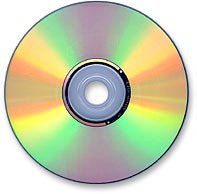 but some there are some old CD players will not play those CDs. The DVD is totally different;
- DVD-R is the closest thing to be compatible to DVD players for entertainment and DVD rom.
- DVD+R will work in the newest DVD players and DVD rom and they will not work in older models.
To learn more go to http://www.cdfreaks.com/article/110 for a complete lowdown.
Subscribe to:
Posts (Atom)